

Your Comprehensive Guide to Launching Instagram Ads
Instagram has transformed from a simple photo-sharing app to one of the most powerful advertising platforms available today. With over a billion active users, it’s crucial for businesses to seize the opportunity to promote their products and services effectively. In this guide, we will break down the steps to launch successful Instagram ads that will help you reach your target audience, increase engagement, and boost sales.
Understanding Instagram Ads
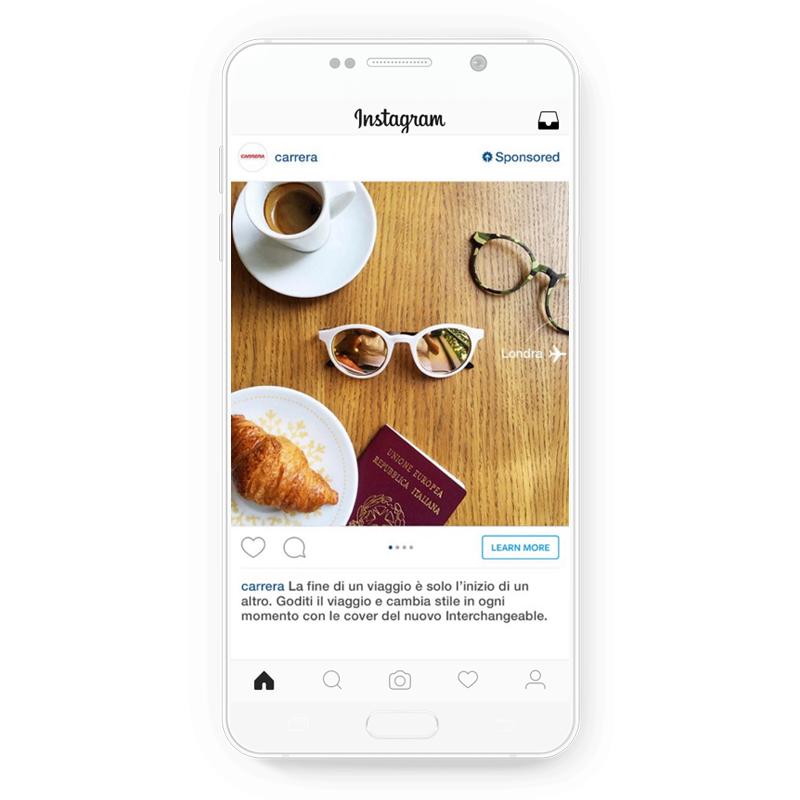
Instagram ads are native advertisements that blend seamlessly into users’ feeds, Stories, and Explore pages. They allow businesses to showcase their brand visually and promote their products or services to a broad audience. Ads can take various forms, including:
- Photo Ads: Single images that tell a story or convey a message.
- Video Ads: Engaging video content that can be up to 60 seconds long.
- Carousel Ads: Multiple images or videos that users can swipe through.
- Stories Ads: Full-screen ads that appear between user Stories.
Setting Up Your Instagram Ads
The first step in launching Instagram ads is ensuring your Instagram account is set up for business. Here’s how to do it:
1. Create a Business Account
If you haven’t already, convert your personal Instagram account to a business account. This switch gives you access to Instagram Insights, ad creation tools, and more. To do this:
- Go to your profile and tap on the three horizontal lines in the top right corner.
- Tap on “Settings,” then “Account.”
- Select “Switch to Professional Account” and choose “Business.”
2. Connect to Facebook
Since Instagram ads are managed via Facebook Ads Manager, you need to connect your Instagram account to a Facebook page. Here’s how:
- On Facebook, go to “Settings” on your page.
- Click “Instagram” in the left-hand menu.
- Follow the prompts to connect your Instagram account.
Creating Your First Instagram Ad
With your business account set up, you can now begin creating your Instagram ad. Here’s a step-by-step guide:
1. Define Your Advertising Objective
Before launching an ad, identify what you want to achieve. Common objectives include:
- Brand Awareness
- Reach
- Traffic
- Engagement
- Conversions
2. Determine Your Target Audience
Knowing your audience allows you to tailor your ad content effectively. Use the following parameters to define your target:
- Demographics (age, gender, location)
- Interests and behaviors
- Custom audiences (retargeting previous visitors)
3. Set Your Budget
Decide on a budget for your ad campaign. You can choose a daily budget, where Facebook will spend a specific amount each day, or a lifetime budget, which is the total you are willing to spend over the entire campaign duration. Ad costs vary based on competition and targeted audience.
4. Create Your Ad
When creating your ad, focus on high-quality visuals and concise, compelling copy. Be sure to include a strong call-to-action (CTA) that encourages users to take desired actions. Utilize Instagram’s format options effectively, whether using images, videos, or carousel styles.
5. Preview and Publish
Before hitting “Publish,” preview your ad to ensure everything looks good on both mobile and desktop. Make adjustments as necessary, and once satisfied, submit your ad for approval. Facebook typically reviews ads within 24 hours.
Monitoring and Optimizing Your Ads
Launching your ad is just the beginning. To ensure optimal performance, continuously monitor your campaign through Facebook Ads Manager. Here are a few key metrics to track:
- Impressions: How many times your ad was displayed.
- Engagement: Likes, comments, shares, and how users interacted with your ad.
- Click-Through Rate (CTR): The percentage of people who clicked on your ad after viewing it.
- Conversion Rate: The number of users who completed a desired action after clicking your ad.
Analyzing Performance
Use the data collected from your campaign to understand what worked and what didn’t. Look at your audience’s response and adjust your targeting and creative elements as necessary. Split testing different versions of your ads can also help illuminate which variations resonate more with your audience.

Conclusion
Launching Instagram ads can be an incredibly effective way to grow your business and connect with customers in a visually engaging manner. By understanding your audience, setting clear objectives, and continuously optimizing your campaigns, you can maximize your ad spend and achieve your marketing goals.
For more detailed insights on launching Instagram ads, please visit our source: How to Launch Instagram Ads via Business Manager https://crazyfb.shop/en/page/kak-zapustit-reklamu-v-instagram-cherez-bm